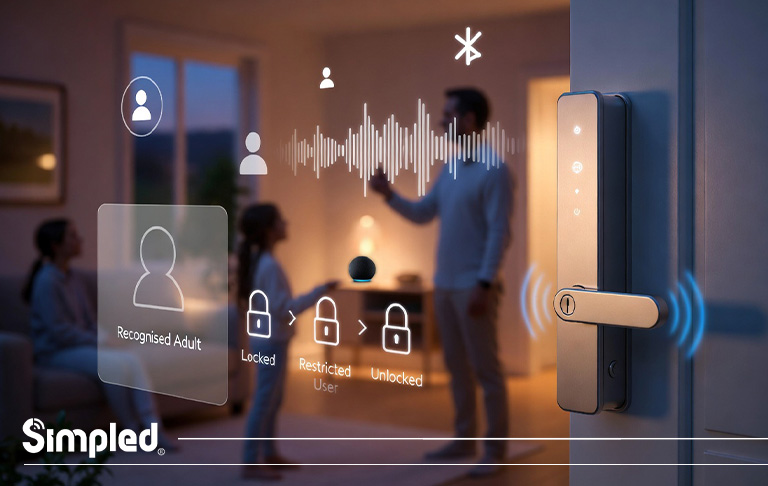
Smart homes are no longer about gadgets — they’re about personalised experiences. One of the most powerful yet underused features in Amazon Alexa is voice recognition. When Alexa recognises who is speaking, it can respond with personalised calendars, reminders, music preferences, shopping lists, and even control smart devices differently for each household member.
If you’ve ever wondered why Alexa sometimes responds incorrectly, mixes up users, or won’t access personal information, voice recognition is usually the missing piece.
This guide explains how voice recognition for Alexa works, how to set it up properly, common mistakes to avoid, and how it enhances smart devices like smart locks and home security systems — especially in multi-user homes.
What Is Voice Recognition for Alexa?
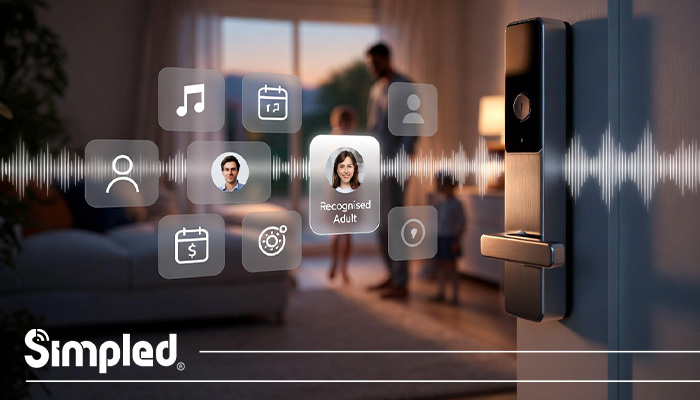
Voice recognition for Alexa allows the assistant to identify individual users by their voice. Instead of treating everyone the same, Alexa builds a unique voice profile for each person.
Once enabled, Alexa can:
Play your playlists instead of someone else’s
Read your calendar events and reminders
Access your contacts and shopping lists
Trigger personalised smart home routines
Think of it as face recognition for your voice — subtle, secure, and constantly learning.
Why Voice Recognition Matters in Smart Homes
In homes with multiple people, generic voice responses quickly become frustrating.
Imagine:
A child accidentally unlocking a smart lock
Alexa announcing private calendar events to the wrong person
Shopping lists getting mixed up
Voice recognition solves these issues by adding identity-aware control to your smart ecosystem.
Smart Home Security Advantage
When combined with smart locks, voice recognition becomes more than convenience — it becomes access control.
For example:
Only recognised adults can unlock doors via voice
Guest voices can be restricted
Smart routines trigger only for specific users
Devices That Support Alexa Voice Recognition
Voice recognition works across most Alexa-enabled devices, including:
Echo, Echo Dot, Echo Show
Fire TV devices
Alexa-enabled third-party speakers
For best results, use a device placed in a quiet, central location during setup.
How Voice Recognition for Alexa Works (Behind the Scenes)
Alexa doesn’t store your voice as a recording. Instead, it creates a digital voice profile based on:
Pitch
Tone
Speech patterns
Pronunciation habits
This profile is encrypted and linked to your Amazon account. Over time, Alexa improves accuracy as it hears you speak more often.
How to Set Up Voice Recognition on Alexa (Step-by-Step)
Step 1: Open the Alexa App
Download or open the Amazon Alexa app
Sign in with your Amazon account
Step 2: Go to Settings
Tap More
Select Settings
Tap Your Profile
Step 3: Enable Voice Recognition
Select Voice ID
Tap Add your voice
Follow the on-screen prompts
You’ll be asked to repeat several phrases so Alexa can learn your voice accurately.
Step 4: Test Recognition
Say:
“Alexa, who am I?”
If set up correctly, Alexa should identify you by name.
How to Enable Voice Recognition on Alexa for Multiple Users
Every household member must:
Have their own Amazon account
Be added to the same Amazon Household
Set up Voice ID individually
Best Practice
Ask each user to:
Train their voice in a quiet room
Speak naturally (not exaggerated)
Use the same Alexa devices regularly
Common Problems & How to Fix Them
Alexa Doesn’t Recognise My Voice
Fix:
Re-train Voice ID
Speak at normal volume
Reduce background noise
Alexa Confuses Users
Fix:
Ensure voices are trained separately
Avoid simultaneous speaking
Update Alexa app regularly
Personal Info Not Accessible
Fix:
Enable Personal Results in Settings
Confirm voice profile is active
How Voice Recognition Improves Smart Lock Control
Voice recognition becomes powerful when paired with smart locks and access systems.
Real-World Example
In a family home:
Parents can unlock doors via voice
Children can control lights but not doors
Temporary users (cleaners, guests) are restricted
Using Alexa Voice Recognition for Routines
Voice-based routines allow Alexa to respond differently depending on who is speaking.
Examples:
“Alexa, good morning” → Parent routine unlocks doors & disarms alarms
Same phrase from a child → Plays music only
This personalisation transforms Alexa from a speaker into a smart home manager.
Privacy & Security Considerations
Voice recognition is optional and fully manageable.
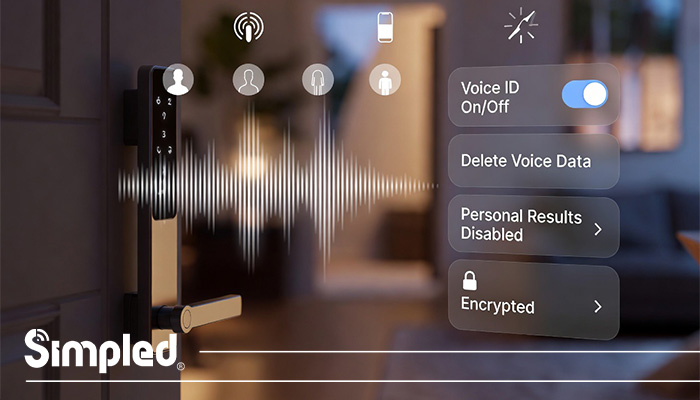
You can:
Delete voice recordings anytime
Turn Voice ID off per user
Disable personal results
Amazon encrypts voice profiles and does not allow random users to impersonate you easily.
For security-focused households, voice recognition should be paired with:
App confirmation
PIN backup
Smart lock authentication rules
Best Practices for Accurate Voice Recognition
Train voices separately
Avoid whispering during setup
Re-train if your voice changes significantly
Keep microphones clean
Place Alexa away from TVs
UK-Specific Considerations
Ensure UK English is selected in Alexa settings
Some skills behave differently by region
Smart locks must comply with UK door standards
Voice Recognition vs Voice Commands (Key Difference)
| Feature | Voice Commands | Voice Recognition |
|---|---|---|
| Who speaks | Anyone | Identified users |
| Personal data | No | Yes |
| Smart lock control | Limited | Advanced |
| Security level | Basic | High |
The Future of Voice Recognition in Smart Homes
Voice recognition is moving toward:
Emotion detection
Multi-factor voice + biometric security
Smarter access control
Deeper smart lock integration
Soon, your home won’t just listen — it will understand.
Conclusion: Is Alexa Voice Recognition Worth Setting Up?
Absolutely.
Voice recognition for Alexa is one of the easiest ways to:
Improve privacy
Personalise your smart home
Enhance smart lock security
Reduce daily friction
When combined with high-quality smart locks, it creates a seamless, secure, and future-ready home experience.



Leave a Reply