

Voice control is no longer science fiction — it’s part of daily life. Whether you’re asking Alexa to play your favourite BBC radio station, dim the living room lights, or set a morning routine, smart voice commands make everyday tasks effortless.
But with thousands of possible commands, many Alexa users only scratch the surface of what their device can do. In this guide, we’ll explore the most useful, funny, and creative Alexa voice commands in the UK — plus a few expert tips for making the most of your smart home setup.
What Are Alexa Commands?
Alexa voice commands are spoken phrases that trigger actions on Amazon’s virtual assistant, Alexa. By simply saying, “Alexa,” followed by your request, you can:
Control smart home devices like lights, thermostats, and smart locks.
Play music, news, or podcasts.
Ask for information such as the weather or traffic updates.
Automate daily routines for convenience.
For example:
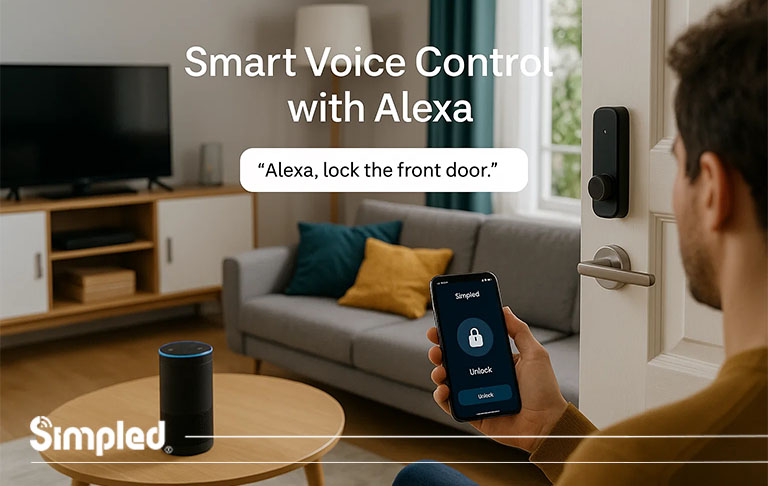
“Alexa, lock the front door.”
“Alexa, turn on the bathroom lights.”
“Alexa, play Smooth Radio.”
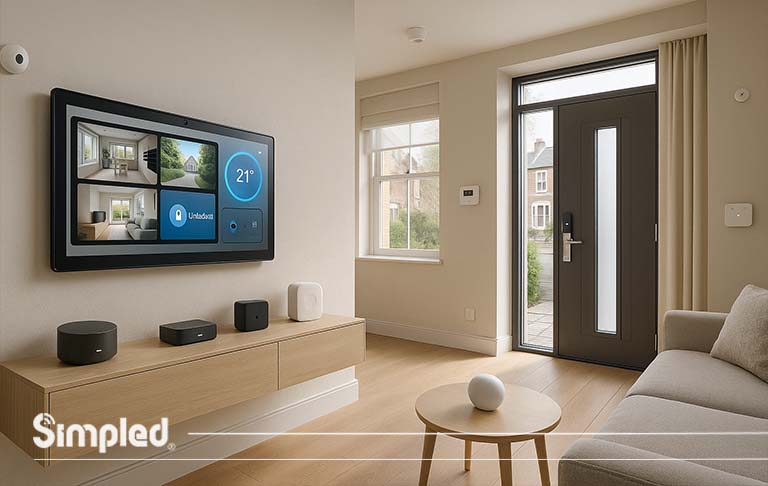
When paired with compatible devices — such as Simpled’s BLE-based smart locks with WiFi bridge connectivity — Alexa becomes the heart of your connected home, linking comfort, security, and technology seamlessly.

Why Alexa Voice Control Is So Popular in the UK
UK households have rapidly embraced Alexa for several reasons:
Hands-free convenience: Control devices even when your hands are full.
Energy efficiency: Set routines that automatically turn off lights or heating.
Accessibility: Voice control helps elderly or disabled users manage their home with ease.
Integration: Alexa works with hundreds of smart brands, including Simpled Smart Locks, Philips Hue, Hive, and more.
According to Statista, more than 30% of UK homes now use voice assistants — and that number keeps growing.
Basic Alexa Voice Commands Everyone Should Know
| Command Type | Example |
|---|---|
| General Questions | “Alexa, what time is it?” / “Alexa, what’s the date today?” |
| Weather & News | “Alexa, what’s the weather like in Manchester?” / “Alexa, give me today’s news.” |
| Reminders & Alarms | “Alexa, set a reminder for 8 a.m.” / “Alexa, wake me up at 7.” |
| Smart Home Control | “Alexa, turn off the living room lights.” / “Alexa, lock the front door.” |
| Timers | “Alexa, set a 10-minute timer for pasta.” |
Expert Tip: Use natural language — Alexa is designed to understand conversational phrasing.
Alexa Volume and Voice Settings Commands
A few spoken adjustments can make Alexa easier to hear and use. Start with volume and speech speed, then set up Voice ID if several people share an Echo device. These Alexa voice commands are especially useful when you would rather change a setting without opening the app.
Volume & Audio Control
“Alexa, set volume to five.” Choose a level that suits the room. Alexa’s volume scale runs from zero to ten.
“Alexa, mute.” Silence audio quickly when you need to take a call or answer the door.
“Alexa, unmute.” Restore the sound when you are ready to listen again.
Volume changes apply to the device that hears you, which helps when you have speakers in several rooms.
Speech Rate Adjustment
“Alexa, speak faster.” Speed up spoken responses if you prefer a quicker briefing.
“Alexa, speak slower.” Give yourself more time to follow answers, recipes or instructions.
Try both rates before settling on one. The most comfortable pace may depend on what you are listening to.
Profiles & Voice Personalisation
“Alexa, learn my voice.” Start setting up Voice ID so Alexa can recognise you for supported personal features.
“Alexa, switch to [name] profile.” Ask Alexa to use a household profile when you need its linked content or settings.
Voice ID and household profiles do different jobs. If Alexa cannot recognise a speaker or find a profile, review the account and Voice ID settings in the Alexa app.
Alexa Calendar, Reminders and Productivity Commands
The best Alexa commands often remove a small task from a busy moment. Link a supported calendar first if you want Alexa to read or add events. Lists and reminders can then help you keep track of errands, appointments and household jobs.
Calendar Events
“Alexa, what’s on my calendar today?” Hear upcoming events while getting ready in the morning.
“Alexa, add a meeting to my calendar for Monday at 10 a.m.” Create an event while the time is fresh in your mind.
Alexa may ask for more details, especially if you have more than one calendar connected. Check the saved event if the date or time matters.
Lists & Reminders
“Alexa, what’s on my to-do list?” Review tasks before you leave home or start work.
“Alexa, add milk to my shopping list.” Capture an item as soon as you notice it is running low.
A shared household can add items throughout the week, then check the list in the Alexa app at the supermarket.
Recurring Notifications
“Alexa, remind me to take the bins out every Thursday.” Set a repeating prompt for a weekly job.
Include a time if you want the reminder at a particular point in the day. You can review and edit reminders in the Alexa app.
Alexa Shopping and Order Tracking Commands
Shopping requests are handy for checking a delivery or capturing something you need. Voice purchasing is a separate setting: review it in the Alexa app before using spoken orders, particularly on a shared device. This part of the Alexa commands list also includes a simple list command that does not place an order.
Order & Package Tracking
“Alexa, where’s my stuff?” Ask for an update on eligible Amazon orders associated with your account.
Alexa may describe an expected delivery rather than provide every carrier scan. Open the order details if you need the latest tracking information.
Purchasing & Reordering
“Alexa, order.” Find an eligible item through voice shopping.
“Alexa, buy more.” Request a repeat purchase of a product you have bought before.
Listen to the product, quantity and price Alexa confirms before completing a purchase. You can require a voice confirmation code or turn off voice purchasing in the Alexa app.
Shopping List Management
“Alexa, add batteries to my shopping list.” Put a household essential on the list without buying it.
Try naming the size, such as AA batteries, so the list is useful when you reach the shop.
Alexa Light Voice Commands
If your lighting is connected through Alexa-compatible devices (like Philips Hue, LIFX, or a smart switch), you can control brightness, colour, and ambience effortlessly.
Common Commands:
“Alexa, turn on the lights.”
“Alexa, dim the living room lights to 50%.”
“Alexa, change the lights to warm white.”
“Alexa, set the kitchen lights to blue.”
Best Practice:
Group your lights by room in the Alexa app for smoother control. For example, saying “Alexa, turn off the downstairs lights” will power down every bulb in that zone.
Alexa Music & Radio Commands
Whether you’re cooking, cleaning, or relaxing, Alexa can instantly play your favourite tunes or stations.
Music Commands:
“Alexa, play Ed Sheeran on Amazon Music.”
“Alexa, play jazz music.”
“Alexa, skip this song.”
“Alexa, volume up/down.”
Radio Commands (UK-specific):
“Alexa, play BBC Radio 2.”
“Alexa, play Smooth Radio on TuneIn.”
“Alexa, open Heart Radio.”
Pro Tip:
You can set a default music service in the Alexa app — Spotify, Amazon Music, or Apple Music — to skip specifying each time.
Advanced Alexa Music and Multi-Room Audio Commands
You can direct playback to one room, control how a playlist plays and find out which track you are hearing. These Alexa voice commands may vary by music service and subscription.
Multi-Room Targeting
“Alexa, play [song] in the kitchen.” Send a track to a speaker or group called “kitchen”.
Use the exact room name shown in the Alexa app. To fill several rooms, create a multi-room music group and ask Alexa to play on that group.
Playback Modes & Equaliser
“Alexa, shuffle mode on.” Mix the order of a playlist or album.
“Alexa, loop.” Repeat supported playback.
“Alexa, increase the bass.” Adjust the sound on a compatible Echo speaker.
If a playback mode does not respond, try it while music is already playing. Equaliser controls can differ between speakers.
Track Identification & Timers
“Alexa, what’s playing?” Find the current track or programme.
“Alexa, who sings this song?” Ask for the performer without reaching for your phone.
“Alexa, stop playing in 30 minutes.” Set a sleep timer for music or other supported audio.
A sleep timer is useful at bedtime because playback stops automatically after the time you choose.
How does Prime Video work with Alexa devices?
Echo Show smart displays or Fire TV devices) by allowing you to use voice commands to search, play, control, and navigate content linked to your Amazon account.
Watching on Echo Show Devices
• Direct Playback: You can watch Prime Video directly on screens like the Echo Show or Echo Spot by swiping down/up to access the video menu or by asking Alexa directly.
• Voice Navigation: According to user consensus on Quora, you can ask to browse by genre, actor, or open your watchlist and video library using voice commands.
Controlling Fire TV with Alexa Speakers
- Hands-Free Control: If you have an Alexa smart speaker paired with a Fire TV, you can control what’s on screen without needing the remote.
- Playback Commands: Use phrases like “Alexa, play,” “Alexa, pause,” “Alexa, fast-forward 30 seconds,” or “Alexa, watch from beginning”.
- Content Search: Ask to launch specific shows, genres, or actors (e.g., “Find action movies on Prime Video”).
You can set up smart home routines (like “It’s Time for Prime”) that launch Prime Video, turn on Fire TV, and adjust smart lights with a single phrase.
Alexa Podcast and Audiobook Commands
Audio requests work best when you name both the title and the service you use. Link your podcast or audiobook account where required, and check the default service in the Alexa app. Among the best Alexa commands are the ones that let you carry on listening while cooking, cleaning or travelling between rooms.
Podcast Streaming
“Alexa, play [podcast name] on Spotify.” Start a show through your linked Spotify account.
“Alexa, play the latest episode of [podcast name].” Catch up without searching through episode titles.
If several podcasts share a similar name, add the publisher or streaming service to make your request clearer.
Audiobook Controls
“Alexa, read [audiobook name].” Start a title available through your linked audiobook library.
“Alexa, go to the next chapter.” Move forward when the book supports chapter navigation.
“Alexa, pause the audiobook.” Stop at your current position so you can return later.
Audiobook availability and navigation depend on the title and service. If Alexa starts the wrong book, say its full title and author.
Smart Home Voice Control with Alexa
Connected devices make voice control particularly useful. Give each device a clear name in the Alexa app, such as “hall lamp” or “living room thermostat”, so Alexa can tell similar products apart. The Alexa commands below depend on the features supported by your devices and their linked services.
Smart Plugs & Appliances
“Alexa, turn off the coffee machine.” Switch off a compatible smart plug connected to an appliance that is suitable for plug-based control.
Name the smart plug after the appliance for a more natural request. Check the appliance maker’s guidance before controlling any heating device through a plug.
Robot Vacuums
“Alexa, ask [robot name] to start vacuuming.” Begin a cleaning run if the vacuum’s Alexa integration supports it.
“Alexa, tell [robot name] to go home.” Ask the vacuum to return to its dock.
Some brands use a different skill name or phrase. The manufacturer’s Alexa instructions will show the wording that works with your model.
Thermostats & Security
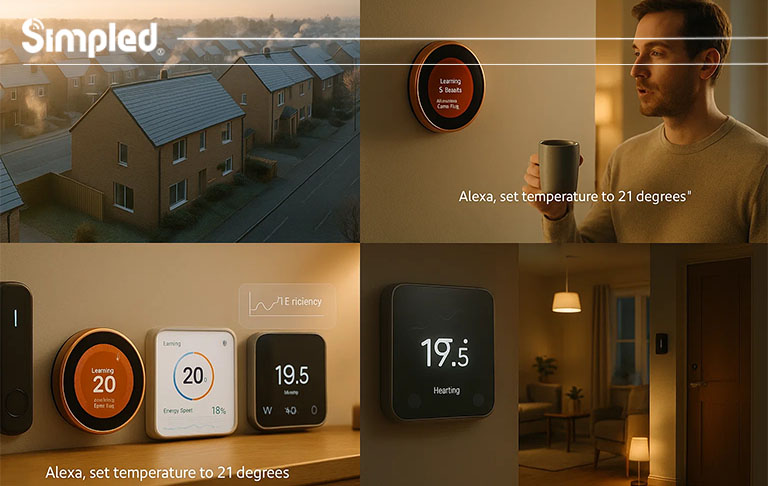
“Alexa, raise the temperature by 2 degrees.” Adjust a connected thermostat without opening its app.
“Alexa, show me the last activity from [camera name].” Request recorded activity where the camera service and your screen-equipped device support it.
For a live view, try asking Alexa to show the camera by its saved name. Recorded clips may require a subscription or a particular camera skill.
Device Discovery
“Alexa, discover my devices.” Ask Alexa to look for newly connected smart home products.
If nothing appears, finish setting up the product in its own app, enable its Alexa connection and check that both accounts are linked.
Simpled Integration Example:
Pairing a Simpled SS Slim Smart Lock with Alexa via a WiFi bridge allows users to lock or unlock their doors hands-free. This is particularly useful for busy households, Airbnb hosts, or anyone wanting modern convenience without compromising safety.
Alexa Sports, Traffic and Weather Commands
These quick questions can help you decide what to wear, when to leave and whether you have time to catch a match. Set your home location in the Alexa app for more relevant local answers. Sports information and traffic estimates can change, so check a live source when timing is critical.
Sports Scores & Schedules
“Alexa, what are the latest Premier League scores?” Get a spoken football update.
“Alexa, when are Arsenal playing next?” Ask for the club’s next scheduled fixture.
You can substitute another team or competition. For a match that has just changed time, confirm the details with the league or club.
Commute & Traffic
“Alexa, what’s my commute look like?” Hear an estimate for your saved journey.
Set your work address and preferred route in the Alexa app first. For an unfamiliar destination, name the place in your request.
Forecast & Sunset
“Alexa, will I need an umbrella today?” Get a practical answer based on the forecast.
“Alexa, what time will the sun set today?” Plan an evening walk, journey or outdoor job.
For more precise weather, include a UK town or postcode in your question.
Fun & Quirky Alexa Commands
Alexa isn’t all business — it has a playful side too. Try these funny Alexa voice commands for a laugh:
“Alexa, tell me a joke.”
“Alexa, sing me a song.”
“Alexa, beatbox.”
“Alexa, what do you think of Siri?”
“Alexa, pretend to be a cat.”
Easter Egg Alert: Ask, “Alexa, open the pod bay doors” — and get a witty sci-fi response!

Useful Daily Alexa Routines
You can combine multiple actions into a single command using Alexa Routines.
Example Morning Routine:
Say, “Alexa, good morning,” and she will:
Turn on your bedroom lights.
Give the day’s weather.
Start your favourite radio station.
Unlock your Simpled smart lock if set to auto mode.
How to Set It Up:
In the Alexa app, go to Routines → Create Routine.
Choose a trigger (voice command, schedule, or motion).
Add actions like music, lights, or locks.
which voice assistants allow for custom voice commands and routines?
- Amazon Alexa (via Alexa Routines): Lets you set a custom trigger phrase (such as “Alexa, good morning”) to run multiple actions like turning on lights, adjusting the smart thermostat, and reading the news. You can build and manage these via the Alexa app.
- Google Assistant (via Google Routines): Allows you to assign a single custom voice command to trigger a series of connected smart home or phone actions. You can also specify alternative phrases and custom spoken responses.
- Apple Siri (via Siri Shortcuts): Uses the Shortcuts app to let you record custom voice phrases that execute single-action or multi-action automations (such as sending a message, playing a playlist, or adjusting home devices).
- Samsung Bixby (via Quick Commands): Enables you to create custom voice prompts or macros to handle detailed sequences of device settings, app actions, or smart home routines.
- Home Assistant (via Assist): An open-source, private option that supports custom sentence creation and local voice commands for smart home automation.
50 Must-Try Alexa Voice Commands (Quick List)
Here’s a quick round-up of 50 Alexa voice commands UK users love:
? Everyday Basics
“Alexa, what’s on my calendar today?”
“Alexa, add milk to my shopping list.”
“Alexa, how’s the traffic to London?”
“Alexa, remind me to call mum.”
“Alexa, what time is sunset?”
? Smart Home
“Alexa, turn off all lights.”
“Alexa, lock the front door.”
“Alexa, close the blinds.”
“Alexa, set the temperature to 20°C.”
“Alexa, check if the garage door is closed.”
? Entertainment
“Alexa, play BBC Radio 1.”
“Alexa, play pop music.”
“Alexa, pause.”
“Alexa, resume playback.”
“Alexa, play my chill playlist.”
? Information
“Alexa, what’s the latest news?”
“Alexa, tell me about today’s football scores.”
“Alexa, how do I make pancakes?”
“Alexa, define ‘artificial intelligence.’”
“Alexa, what’s the pound to euro rate?”
? Funny & Interactive
“Alexa, tell me a dad joke.”
“Alexa, roll a dice.”
“Alexa, sing happy birthday.”
“Alexa, flip a coin.”
“Alexa, do you believe in ghosts?”
? Productivity
“Alexa, create a to-do list.”
“Alexa, send a message.”
“Alexa, call John.”
“Alexa, start a 25-minute timer.”
“Alexa, cancel all reminders.”
? Home Security
“Alexa, is the front door locked?”
“Alexa, show me the front door camera.”
“Alexa, arm my security system.”
“Alexa, open the gate.”
“Alexa, check the motion alerts.”
? Routines & Scenes
“Alexa, good morning.”
“Alexa, I’m home.”
“Alexa, goodnight.”
“Alexa, movie time.”
“Alexa, turn on the reading lights.”
? Family & Kids
“Alexa, tell a bedtime story.”
“Alexa, play baby lullabies.”
“Alexa, what sound does a cow make?”
“Alexa, start kids’ quiz.”
“Alexa, open animal sounds.”
? Advanced
“Alexa, trigger relaxation mode.”
“Alexa, start cleaning with the robot vacuum.”
“Alexa, open my garage.”
“Alexa, enable smart lock mode.”
“Alexa, check battery level on my Simpled lock.”

Troubleshooting Alexa Voice Commands
Even the best setups can hiccup. Here’s how to solve common Alexa issues:
1. Alexa Doesn’t Respond
Check if the device is muted (red ring light).
Ensure it’s connected to WiFi.
Try saying the command more clearly.
2. Device Not Responding
Reopen the Alexa app and check if the device is online.
Re-link the skill for third-party products like smart locks.
3. Wrong Action Triggered
Rename devices for clarity (e.g., “Bathroom Light” instead of “Light 1”).
Avoid similar device names.
Expert Tip:
Voice recognition improves with use. Alexa learns your speech patterns and accents over time, especially for UK English.
Conclusion: Make Voice Control Work for You
From playing your favourite playlist to locking your door before bed, Alexa can transform your daily routine. The more you use voice commands, the smarter and more responsive your home becomes.
Whether you’re new to Alexa or fine-tuning your smart home, start small — then expand as you discover what fits your lifestyle best. And if you want to go beyond basic control, integrating Simpled Electronic Door Locks with Alexa ensures your home is not only connected but secure, stylish, and intelligent.
FAQs
1. What are the most useful Alexa voice commands in the UK?
Commands for music, radio, smart lights, and locks are the most used — such as “Alexa, play BBC Radio 2” or “Alexa, lock the door.”
2. Can Alexa control my smart lock?
Yes, Alexa can lock or check your door’s status when paired with compatible devices like Simpled Smart Locks via WiFi bridge.
3. What are Alexa’s funniest commands?
Try “Alexa, tell me a joke” or “Alexa, sing me a song” for a quick laugh.
4. How do I connect Alexa to smart devices?
Open the Alexa app → Devices → Add Device → Select your brand → Follow setup steps.
5. Can I create custom Alexa commands?
Yes, through Alexa Routines — combine multiple actions into one personalised command.



Leave a Reply