

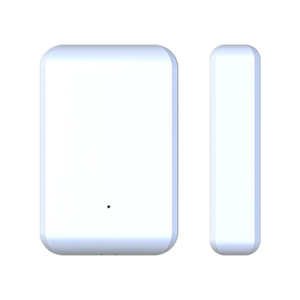
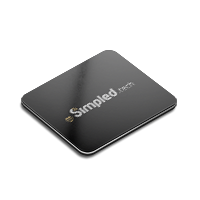
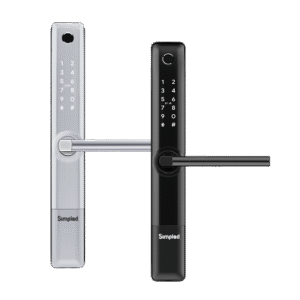

Imagine yourself on your front porch during a stormy night. You tap your phone against the door to unlock, but instead of that nice click, you get nothing. Your smart lock’s not cooperating, your Wi-Fi’s malfunctioning, and all of a sudden that “smart” choice doesn’t seem so smart. That’s where the long-forgotten hero of the connected home comes in, the Smart Lock Gateway. What Is a Smart Lock Gateway?
It’s not the showstopper you brag to your friends about like your dashing lock or gleaming app, but without it, your entire smart security system can implode. A gateway buzzes softly in the background, bridging the space between your lock and the rest of the digital world, so that even when your phone and lock aren’t necessarily talking exactly the same “language,” the conversation never really stops. In this guide, we’re going to crack open the mystery of What Is a Smart Lock Gateway, how it works, and why this oft-overlooked device can be the most important key you own, even if you never put it on your keychain.
How a Smart Lock Gateway Works?
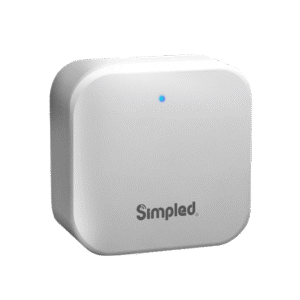
A Smart Lock Gateway is essentially your smart security system’s traffic cop and translator. Its primary job is to connect your smart lock to the internet so that you can remotely control your door anywhere in the world, either from lying in bed upstairs or mid-transit globe-trotting.
Without said bridge, your lock will only be locally capable and hence no remote unlocks, no checking of status, and no timely alerts. Smart Lock Gateways are also fully compatible with larger smart home systems.
It has a role in connecting smart door lock to the internet and communicating between devices (e.g., Zigbee, Z-Wave, Wi-Fi, Bluetooth). Moreover, the simplified management of smart lock gateway makes its working process more user friendly.
Why Do You Need a Gateway for Smart Locks?
At first glance, a smart lock might seem perfectly capable on its own. But without a gateway, you’re essentially limiting it to only a smart device when you’re nearby.
A gateway unlocks the full potential of your device by enabling remote access and control. That is the capability to lock the door, having forgotten it in the morning, open it for a guest who comes in when you are still at the office, or even control your home security when overseas, all from your smartphone.
Aside from convenience, a gateway guarantees you receive instant notifications and alerts. You will immediately know the moment your children arrive home from school, the moment someone tries to hack the lock, or the moment a service provider arrives with a temporary code.
This constant flow of information keeps you updated and notified even when you are away. Enhanced automation features are other reasons to know what is a smart gateway and why do we need it?
Key Features of Smart Lock Gateways
A good smart lock gateway is not just a Bridger, it’s an encumbrance of features that upgrade your security system to be more reliable, secure, and convenient. The following are the key things to watch out for.
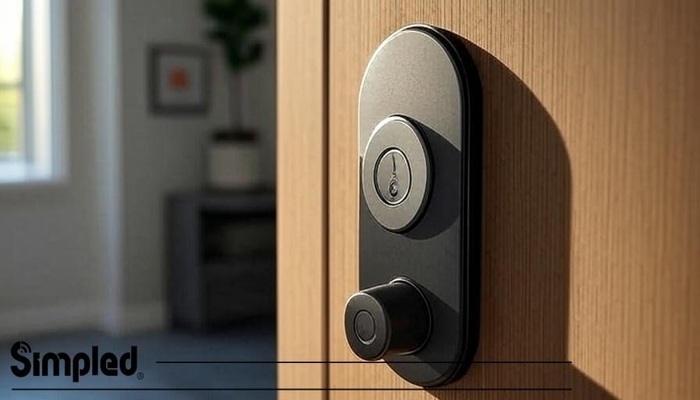
Support for Multiple Lock Brands
It is also practical for homes or businesses that have various lock types on different doors. A decent smart lock gateway is not limited to a single brand’s ecosystem.
Security and Encryption
Since a gateway is the center of your smart security system, it must be secured by effective encryption methods and strong authentication. It secures data from lock status to access history from hacking or unauthorized use.
App Integration and Cloud Syncing
You can make a good and strong connection between your smart lock gateway and other chosen controlling applications. Lets monitor all of your locks with the help of these gateways.
Types of Smart Lock Gateways
There are a wide variety of smart lock gateways to choose from, each of which will bring your lock into the digital world in a slightly different way. The right type will depend on your lock’s protocol, home setup, and your desired level of flexibility of integration.
For example, Bluetooth gateways offer the expansion of the typical short range of the Bluetooth locks by relaying their signal onto the internet. This allows for remote monitoring and unlocking without having to be near the door. Here are other types of smart lock gateways:
- Hybrid or Multi-Protocol Gateways
- Z-Wave Gateways
- Zigbee Gateways
- WiFi gateways
Built-in vs External Gateways
Some have built-in gateways, i.e., they will talk immediately with your Wi-Fi or smart home system without extra hardware. These are convenient and compact, but can sometimes be limited with regards to range or protocol support.
External gateways, however, are distinct devices that interface with your smart lock and act as the communication bridge. They tend to have more range, multiple protocol support, and more integration flexibility, but they involve additional setup and a dedicated power supply.
| Feature | Built in gateway | External gateway |
| Setup | Simple, no extra device required | Requires additional hardware setup |
| Portability | Integrated into the lock | Separate device, can be moved/relocated |
| Range | Variable with lock’s antenna | Usually better with dedicated hardware |
| Flexibility | Limited to lock’s built-in capabilities | Very customizable and expandable |
Will adding a gateway drain your smart lock’s battery faster, or does it help save energy?
Adding a gateway does not drain the smart lock’s battery faster; in fact, it can help save energy by reducing the need for the lock to constantly search for direct connections.
Wi-Fi Bridges vs Dedicated Hubs
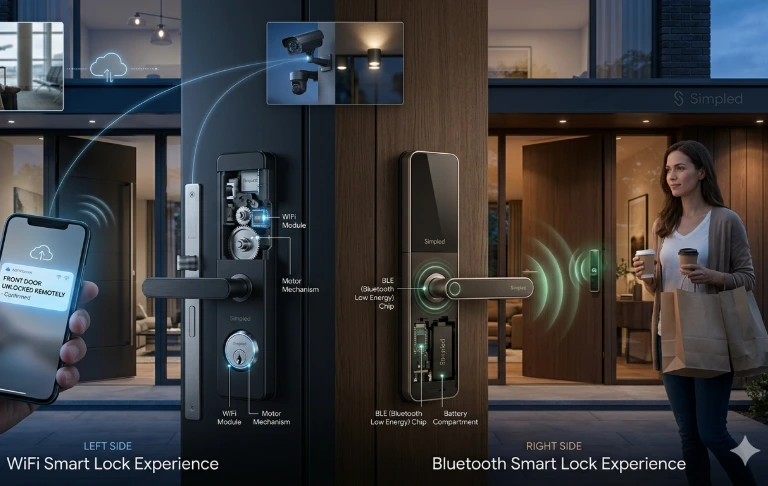
A Wi-Fi bridge is a small gadget that connects your smart lock to your home’s Wi-Fi network, which enables remote connectivity. It is designed to be simple, inexpensive, and easy to install but usually works best with a single lock or a couple of devices.
A dedicated hub, on the other hand, is a stronger device that can handle several smart home devices, not only locks. It accommodates various communication protocols such as Zigbee or Z-Wave, can support multiple brands, and offers a central control system for your smart home.
| Features | WiFi bridges | Dedicated hubs |
| Function | Connects a lock to Wi-Fi for remote use | Manages multiple smart devices and protocols |
| Ease of Use | Extremely easy, minimal setup | More complex, requires setup |
| Device Support | Typically supports a single or multiple locks | Supports locks, lights, sensors, etc. |
| Cost | Lower | Higher but more functional |
Smart Lock Gateway vs. Smart Lock
A smart lock is the physical hardware that takes the place of (or augments) your mechanical key. A smart lock gateway, on the other hand, is the behind-the-scenes connector.
It enables your smart lock to communicate via the internet, communicate with other smart devices, and provide remote control and monitoring. We will compare these devices within the below chart:
| Feature | Smart lock | Smart lock gateway |
| Primary function | Controls door locking/unlocking | Connects the smart lock to internet & devices |
| Physical Installation | Mounted directly on the door | Placed anywhere within network range |
| Direct Access | Yes, via keypad, app, or key | No, acts as a communications bridge |
| Remote Control | Only if Wi-Fi is built-in | Yes, even for non-Wi-Fi locks |
| Automation Integration | Limited without a gateway | Enables full smart home automation |
| Protocols | Typically, Wi-Fi or Bluetooth | Zigbee, Z-Wave, Bluetooth, Wi-Fi (varies) |
| When needed | Standalone security without remote control | For remote access, integration, automation |
How to Choose the Right Smart Lock Gateway
In case of choosing the right smart lock gateway, evaluate the gateway’s network connectivity capabilities. While Wi-Fi connection is simple to set up and provides flexibility, Ethernet connections provide greater stability and less latency.
Support for multistranded communication in some advanced gateways provides greater flexibility and future proofing in shifting smart home setups. You also have to consider other points like:
- Smart lock gateway’s compatibility with Your Smart Lock and Smart Home Ecosystem
- Ease of Setup
- Ongoing Support
Common Issues and Troubleshooting
Smart lock gateways are very important in ensuring seamless connectivity between your smart locks and the internet but, like any other technology, they can have some occasional problems. We will explain about these issues in the following parts.
Gateway not Connecting
A gateway restart and connection reset can typically restore normal operation. In obstinate cases, it may be useful to verify network compatibility or phone technical support.
Delayed Responses or Offline Status
If your gateway is in an “offline” state or lags behind when sending commands to the lock, network traffic is usually the cause.
Firmware Updates and Resets
Most gateways are simple to inspect and download updates with a companion web interface or mobile app, keeping you current on the latest enhancements. Occasionally, even with regular updates, a smart lock gateway can continue to experience problems such as connection failure or no responsiveness.
Factory reset is usually successful at fixing such problems by restoring the device to factory defaults. This operation erases any application bugs or configuration errors that are causing problems.
A reset, however, typically erases all personalized options so you have to reconfigure the gateway and re-pair it with your smart locks. You need to meticulously read through the manufacturer’s instructions when undertaking this not to lose data or create security vulnerabilities.
Regular firmware updates and occasional resets, when necessary, keep your smart lock gateway working perfectly and securely in the long term.
If the Wi-Fi goes down, can you still unlock Simpled smart lock without the gateway?
Yes, Simpled smart locks allow local unlocking via Bluetooth or a keypad, even if the Wi-Fi or gateway is down. However, remote access and remote app control will be unavailable. Additionally, all Simpled smart locks come with handy emergency physical keys.
How far away from the door can tou place the gateway for it to still work properly?
The gateway should generally be within 10-15 metres of the smart lock without major obstacles; of course, walls and metal objects can reduce range. Placing it in a central location with minimal interference ensures stable connectivity.
benefits of Smart Lock Gateway
For most family homes, one centrally placed gateway can handle multiple locks efficiently, reducing cost and complexity. Separate gateways are usually unnecessary unless the locks are far apart or in areas with poor connectivity. Top tip, you can also use wifi extenders to gain better connectivity in those low signal spaces! gateway enables remote management, letting you create temporary access codes or virtual keys for guests and cleaners even when you’re away. Without a gateway, code management is usually limited to on-site operations. BLE-based locks like the SS Slim Series use less power for everyday operation, and adding an external Wi-Fi gateway enables remote control, notifications, and integration with smart home systems without draining the lock’s battery. Built-in Wi-Fi locks consume more energy continuously, reducing battery life, unless designed to drop into a “standby mode” when not requiring remote usage.
What Happens If Wi-Fi Goes Down?
Even the most reliable home internet can experience outages, but that doesn’t mean you’ll be locked out. Simpled smart locks allow local unlocking via Bluetooth or a keypad, even when your Wi-Fi or gateway is offline. You can also use the emergency physical key that comes with every lock for extra peace of mind. While remote app control won’t be available until the connection is restored, your everyday access remains uninterrupted.
Gateway Placement and Range Tips
For stable performance, your smart lock gateway should ideally be placed within 10–15 metres of the door. Thick walls, metal doors, or household appliances can interfere with signal strength, so it’s best to keep the gateway in a central, open location. If you live in a larger home, consider Wi-Fi extenders or mesh systems to ensure reliable connectivity across multiple doors.
Battery Life — Gateway vs Built-In Wi-Fi
One common concern is whether adding a gateway drains your lock’s battery. In fact, the opposite is often true. A gateway reduces energy consumption because the lock no longer has to maintain a direct Wi-Fi connection.
BLE-based locks like the Simpled SS Slim Series or SF Slim Smart door lock are designed to use ultra-low energy for daily operation.
By pairing them with a gateway, you enable remote access, notifications, and smart home integrations without sacrificing long battery life.
Built-in Wi-Fi locks, on the other hand, consume more power as they stay connected continuously. Unless carefully engineered with “standby” modes, their batteries will drain faster than BLE-based systems.
One Gateway or Multiple?
For most households, a single centrally placed gateway is more than enough to manage multiple doors. This setup reduces both cost and complexity while still offering seamless coverage.
However, if you live in a multi-storey house or have locks installed at opposite ends of a large property, you may benefit from multiple gateways to avoid connectivity dead zones. A good tip is to pair gateways with Wi-Fi extenders to improve performance in tricky spots without necessarily adding extra devices.
Remote Access Codes and Guest Management
One of the biggest advantages of using a gateway is the ability to create and manage access codes remotely. Imagine you’re at work when your cleaner arrives or a guest shows up earlier than expected—without a gateway, you’d have to be physically at home to grant entry.
With a smart lock gateway:
You can issue temporary access codes from anywhere in the world.
Virtual keys can be set to expire after a set time, keeping security tight.
Notifications let you know exactly when someone enters, giving you full visibility.
This feature is particularly useful for Airbnb hosts, rental properties, and family homes, where flexible access is just as important as security.
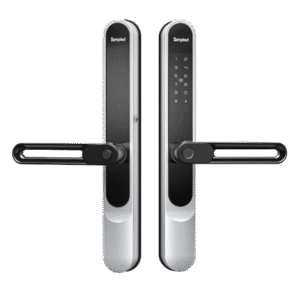
The Simpled SS Slim lock is a great example of how BLE-based smart locks work perfectly with a gateway setup. On its own, it offers secure Bluetooth-based access with long battery life. But when paired with a Simpled Wi-Fi Gateway, you unlock:
Remote locking/unlocking via smartphone.
Real-time entry and security notifications.
Integration with other smart home devices like cameras or thermostats.
Temporary access code management from anywhere.
This combination ensures you get both energy efficiency and full remote control, without compromising on battery life.
Conclusion
In this blog, we have explained what a smart lock gateway is. Also, we have mentioned that some locks with Wi-Fi might be functional without a separate gateway but will likely be enhanced by one for more functionality and dependability.
For individuals who wish to level up their home security with smart lock gateways and related devices, Simpled UK offers an expertly handpicked line of top-quality smart home devices.
Reliable brands and expert guidance like Simpled are your ideal companion in building a secure, connected home. Discover more today and enter smarter, safer living.
Frequently Asked Questions
Can I use a smart lock without a gateway?
Yes, some smart locks connect directly via Wi-Fi or Bluetooth. However, a gateway is needed for remote access and smart home integration in many cases.
Is a smart lock gateway the same as a Wi-Fi bridge?
Not exactly. A Wi-Fi bridge is a type of gateway, but gateways can also use other protocols like Zigbee or Z-Wave to connect multiple smart devices.
Do all smart locks require a separate gateway?
No. Some smart locks have built-in Wi-Fi and don’t need a separate gateway. Others, especially Zigbee/Z-Wave models, do require one.
Can one gateway support multiple smart locks?
Yes, many gateways can connect to and control multiple smart locks or devices, depending on the brand and platform.




Leave a Reply