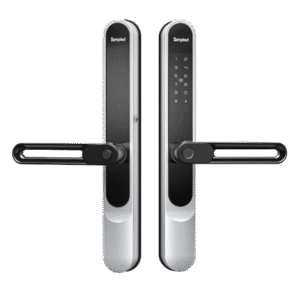
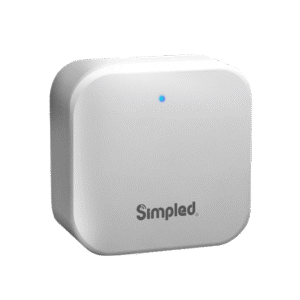
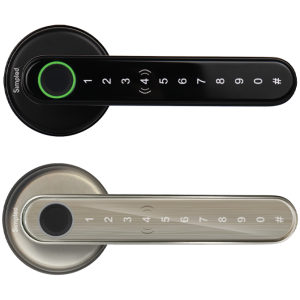
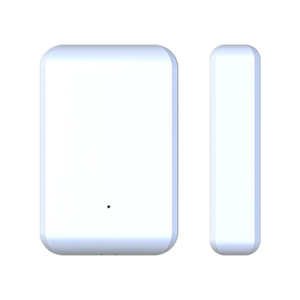
Smart homes are no longer a distant dream—they are increasingly becoming a reality in UK households. At the heart of every truly connected home lies a smart hub. But what exactly is a smart hub, and how does it fit into modern home automation? This guide will walk you through everything you need to know: from the basics of a smart hub to its functions, types, compatibility, and why it matters for convenience, security, and energy efficiency.
what is a smart hub?
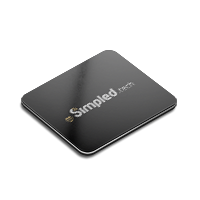
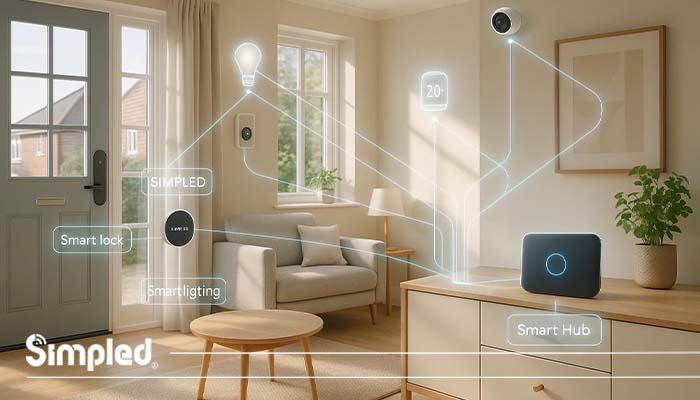
A smart hub is the central control point for your connected home devices. Think of it as the “brain” of your smart home ecosystem. Without it, your devices—such as smart locks, thermostats, lighting systems, and cameras—would operate independently rather than cohesively.
Smart hubs simplify your life by allowing different devices and brands to communicate with each other seamlessly. Instead of juggling multiple apps for different devices, a smart hub consolidates control, giving you a single interface to manage your home.
How Does a Smart Hub Work?
A smart hub works by acting as a bridge between your smart devices and your home network. Here’s a step-by-step breakdown of how it functions:
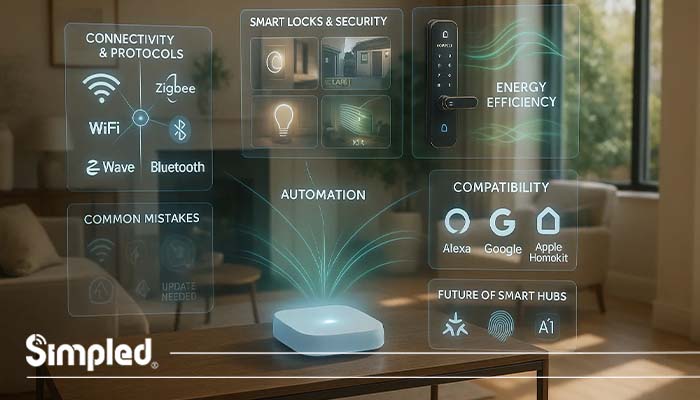
Connectivity: The hub connects to your home Wi-Fi or wired network. Some hubs also use protocols like Zigbee, Z-Wave, or Bluetooth to communicate with devices.
Device Pairing: You pair compatible devices with the hub, allowing them to recognize each other and share information.
Command Processing: When you give a command—via voice, app, or automation—the hub interprets it and instructs the relevant devices to act.
Automation & Scheduling: Smart hubs enable automation, such as turning lights on at sunset or locking doors when everyone leaves.
Remote Access: Through a hub-connected app, you can monitor and control devices from anywhere, ensuring security and convenience.
Types of Smart Hubs
Smart hubs come in various types, each offering different capabilities:
Voice-Controlled Hubs
Devices like Amazon Echo and Google Nest Hub allow you to control your smart home using voice commands. These are ideal if you want a hands-free experience and integration with digital assistants.
Touchscreen Hubs
Touchscreen hubs provide a visual interface to manage your devices. They are perfect for households with multiple users, offering intuitive control and real-time feedback on device status.
Platform-Specific Hubs
Some hubs are designed to work within specific ecosystems. For example, Apple HomeKit Hub connects iOS devices and compatible products, ensuring seamless integration but limiting cross-platform compatibility.
Key Benefits of Using a Smart Hub
Smart hubs are more than a convenience—they enhance safety, energy efficiency, and lifestyle quality. Here are the major benefits:
Centralized Control
No more switching between apps. Control lights, cameras, thermostats, and smart locks from one interface.
Automation
Create scenarios like “Good Morning” to gradually brighten lights, open blinds, and start your coffee maker.
Energy Efficiency
Smart hubs track energy usage and allow devices to operate at optimal times, saving money on electricity bills.
Enhanced Security
Integrating smart locks, cameras, and alarms with a hub provides comprehensive security. You get alerts and remote access, allowing real-time monitoring even when away from home.
Compatibility Considerations
Not all smart devices are compatible with every hub. Here’s what to keep in mind:
Protocol Support: Check whether your hub supports Zigbee, Z-Wave, Wi-Fi, or Bluetooth devices.
Platform Integration: If you already use Alexa, Google Assistant, or Apple HomeKit, ensure your hub integrates seamlessly.
Future-Proofing: Choose a hub that receives regular firmware updates to accommodate new devices and security enhancements.
Common Mistakes When Using Smart Hubs
Even experienced users sometimes make mistakes that affect the efficiency of their smart hub setup:
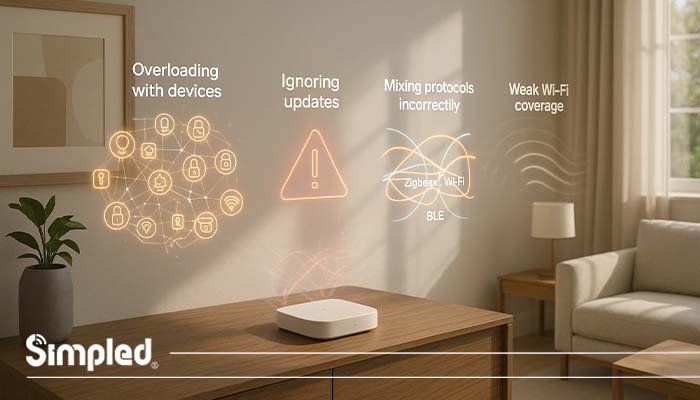
Overloading with Devices: Connecting too many devices can slow performance. Prioritize essential devices first.
Ignoring Updates: Failing to update your hub or devices can lead to security vulnerabilities.
Mixing Protocols Incorrectly: Some devices may not communicate correctly if incompatible protocols are mixed without proper bridging.
Weak Wi-Fi Coverage: Poor network coverage can cause delays or connectivity issues. Consider mesh Wi-Fi for larger homes.
Choosing the Right Smart Hub for Your Home
Selecting the best smart hub depends on your needs:
Size of Home: Larger homes benefit from hubs with strong signal range and mesh networking support.
Number of Devices: More devices require a hub capable of handling multiple connections simultaneously.
Security Features: Look for hubs with encryption, two-factor authentication, and regular updates.
Ease of Use: User-friendly apps and intuitive interfaces make daily control hassle-free.
Future of Smart Hubs
The smart hub market continues to evolve. Expect advancements like:
Matter Protocol Support: Ensuring cross-brand compatibility across devices.
AI Integration: Hubs will predict your preferences and automate your home without manual input.
Enhanced Security: Biometric authentication and end-to-end encryption will become standard.
Is a Smart Hub Worth the Value?
A smart hub is worth the value if your priority is reliability, complex automation, or integrating multiple wireless protocols (like Zigbee or Z-Wave). It is unnecessary for casual users who rely primarily on Wi-Fi devices and standard voice assistants.
| If you need… | Is a hub worth it? | Why? |
| High Reliability | Yes | Local processing keeps devices working when the internet drops. |
| Complex Logic | Yes | Advanced “If/Then” routines across different device brands. |
| Protocol Bridging | Yes | Connects devices that don’t natively talk to each other. |
| “Set & Forget” | No | Matter-enabled devices and native apps (Google/Apple) suffice. |
| Privacy | Yes | Local hubs keep data inside your home rather than in the cloud. |
The 2026 ContextThe Matter Standard
- With the widespread adoption of Matter, many new devices communicate directly across platforms (Google, Apple, Amazon), reducing the need for a “translator” hub for basic setups.
- Platform Evolution: Major ecosystems like Google Home (with Gemini) and Apple Home now handle most mainstream automation needs without additional hardware.
- The Power User Exception: If you are an enthusiast or a professional, a hub remains the only way to achieve “pro-level” control, local data privacy, and the deep interoperability required for advanced security systems or “lab” environments.
Conclusion
A smart hub is the central command for a connected home, transforming isolated devices into a cohesive ecosystem. From simplifying daily routines to boosting security and efficiency, a smart hub is indispensable for anyone investing in smart home technology.
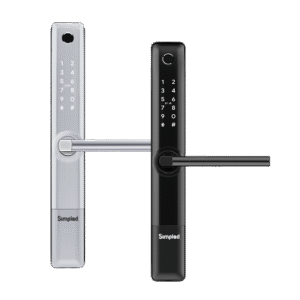
Whether you are installing smart locks, lighting systems, or thermostats, the right hub ensures your devices work in harmony. For UK homeowners seeking convenience and security, integrating a reliable hub with high-quality smart products—like those from Simpled—makes life smarter, safer, and simpler.
FAQs
What is a smart hub in simple terms?
A smart hub is the central device that connects and controls all your smart home gadgets.How does a smart hub work with multiple devices?
It uses wireless protocols like Zigbee, Z-Wave, or Wi-Fi to communicate and execute commands across devices.Can I use a smart hub without a Wi-Fi connection?
Some hubs work locally using Zigbee or Z-Wave, but remote access requires internet connectivity.Is a smart hub necessary for a smart home?
While optional for small setups, a hub is highly recommended for seamless automation and multi-device control.Which smart hub is best for UK homes?
Hubs that support multiple protocols, integrate with Alexa/Google Home, and offer secure remote access are ideal.



Leave a Reply